
An AI Assistant That Reads the Screen You're On
Summarize, listen, rewrite and automate in any app, on Android, Mac and Windows. No copy-paste, no app switching, no explaining what you're looking at.
Free plan · No account needed · Never runs in the background
- 4.6
- Google Play rating
- 500+
- AI actions
- 10+
- Languages
- 4
- Platforms, one account
The quiet return of local-first software
For fifteen years the default answer was the server. Your documents lived somewhere else, your edits were round trips, and an aeroplane was enough to make the tool useless.
Local-first inverts that. The device holds the real copy; the network is a synchroniser, not a landlord. Conflict-free replicated data types made the merge tractable, and cheap local storage made the rest obvious.
AI Summary
inkandatoms.comFor fifteen years software defaulted to the server — documents lived remotely and every edit was a round trip.
Local-first inverts the relationship: the device holds the authoritative copy and the network merely synchronises it.
CRDTs made conflict-free merging practical, while cheap local storage removed the last reason to centralise.
The tradeoff moves to sync infrastructure: teams own the merge semantics they used to rent from a database.
The pattern pays off where offline use is a real requirement, not an aesthetic one.

Works on top of the apps you already use, and any other app that shows text
- Chrome
- Safari
- Gmail
- Slack
- Notion
- Preview
- Obsidian
Chatbots make you bring the screen to them. Arc is already on it.
Arc: AI Screen Assistant is an AI assistant app that runs on the screen you are already looking at. On Android it's a floating sidebar over every app; on Mac and Windows it's a panel you open with Control+Space (Ctrl+Space on Windows) over any window. It reads the current screen and acts on it: summarize, read aloud, rewrite, chat, extract.
You don't describe your situation to it, because it already has the screen. It's free on Android, Mac and Windows with 7 requests a week; iPhone is in development.
With a chatbot
- Select the text
- Copy it
- Open the AI app
- Paste and explain
- Copy the answer back
With Arc
One assistant for everything on your screen.
Pick what you need done. Arc does it on the page, message or document you're already in.
Get the point of anything in seconds.
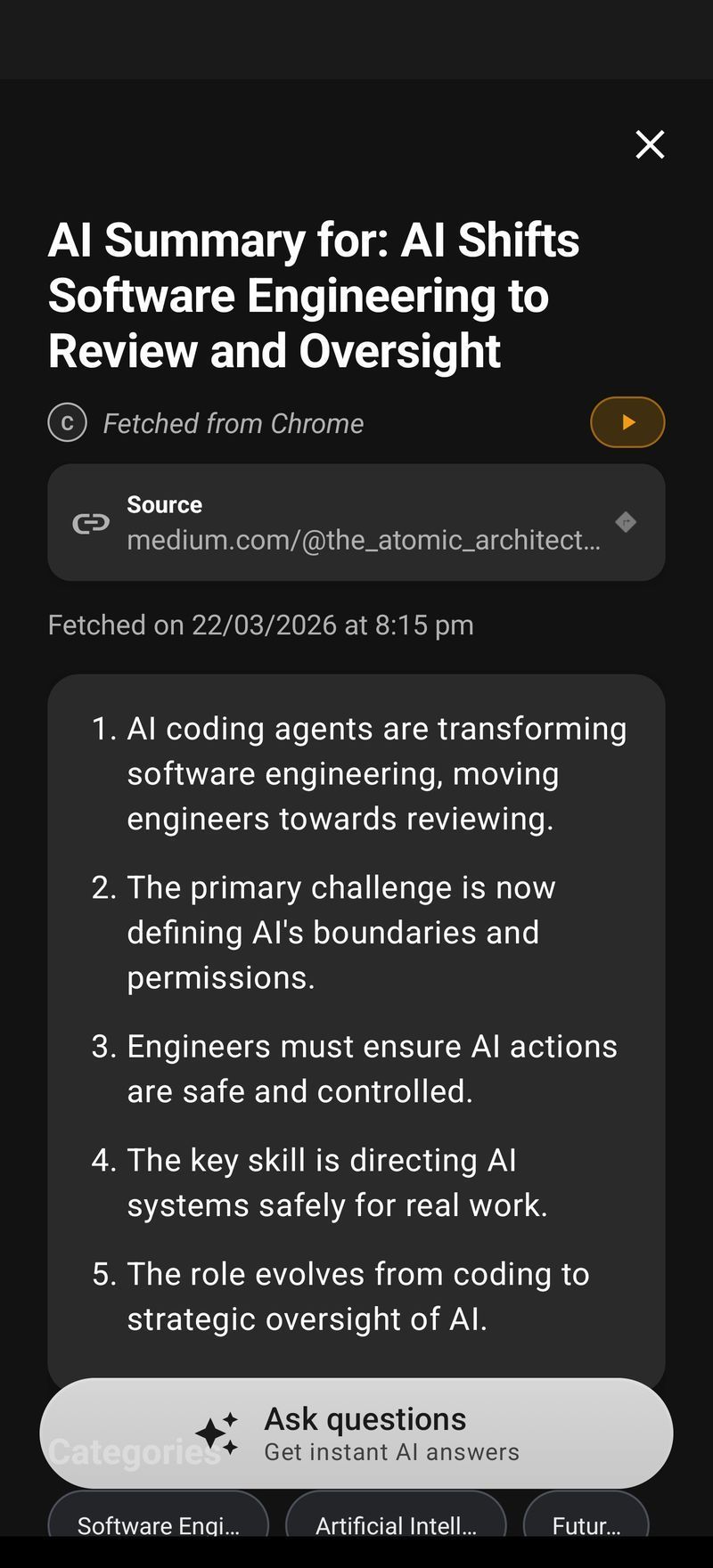
Arc turns articles, PDFs, long emails and threads into numbered key points, then answers follow-up questions about the same screen, so you never have to re-explain the context.
- Numbered key points with an auto-detected title and source
- Ask follow-ups about the page you're on
- Explain or translate in 10+ languages
Write better, right inside the text box.
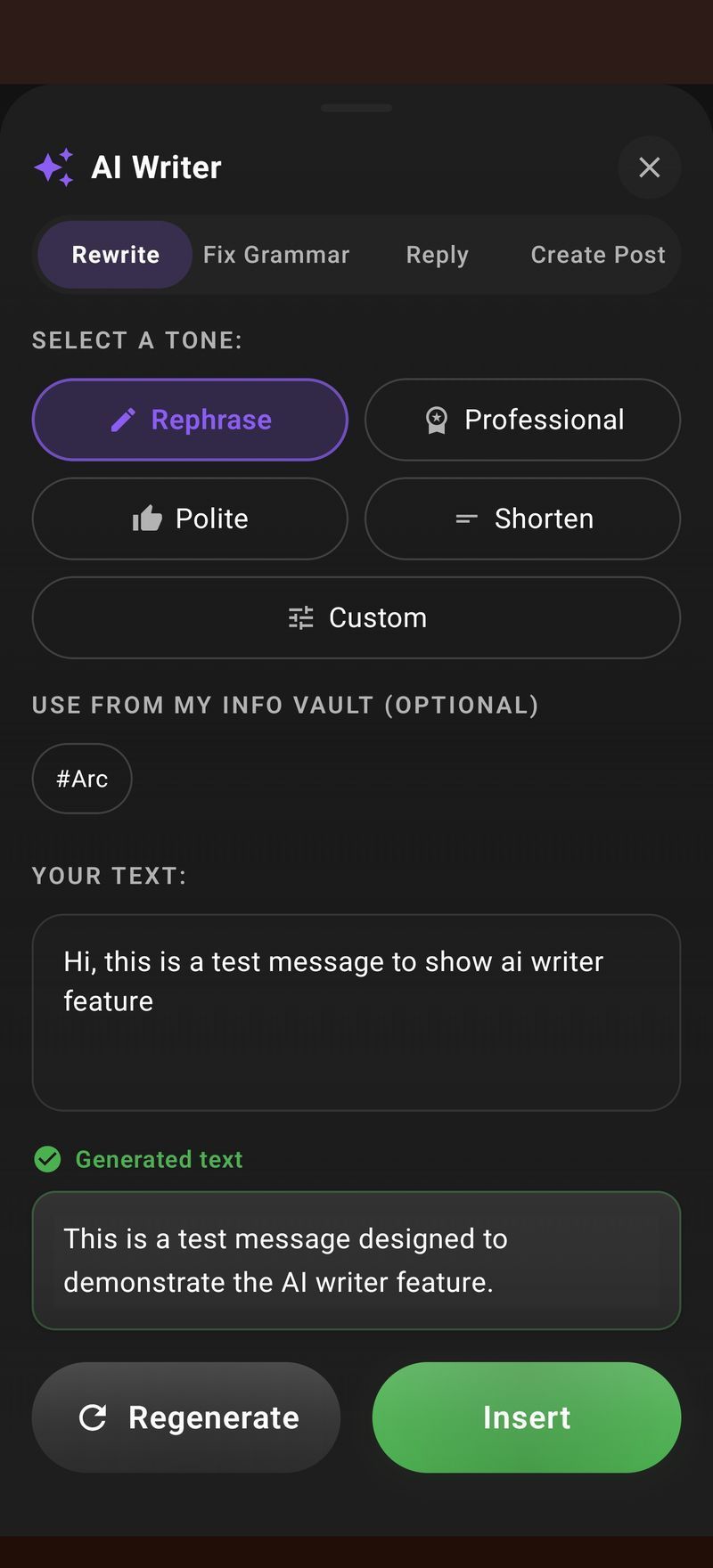
Rewrite in any tone, fix grammar, draft a reply or turn notes into a post. Insert drops the result back into the field you were typing in: Gmail, WhatsApp, Slack or anything else.
- Rewrite, reply, fix grammar or create a post
- Inserts in place, with no copy-paste
- Works in every app with a text field

Hear any screen, read aloud.
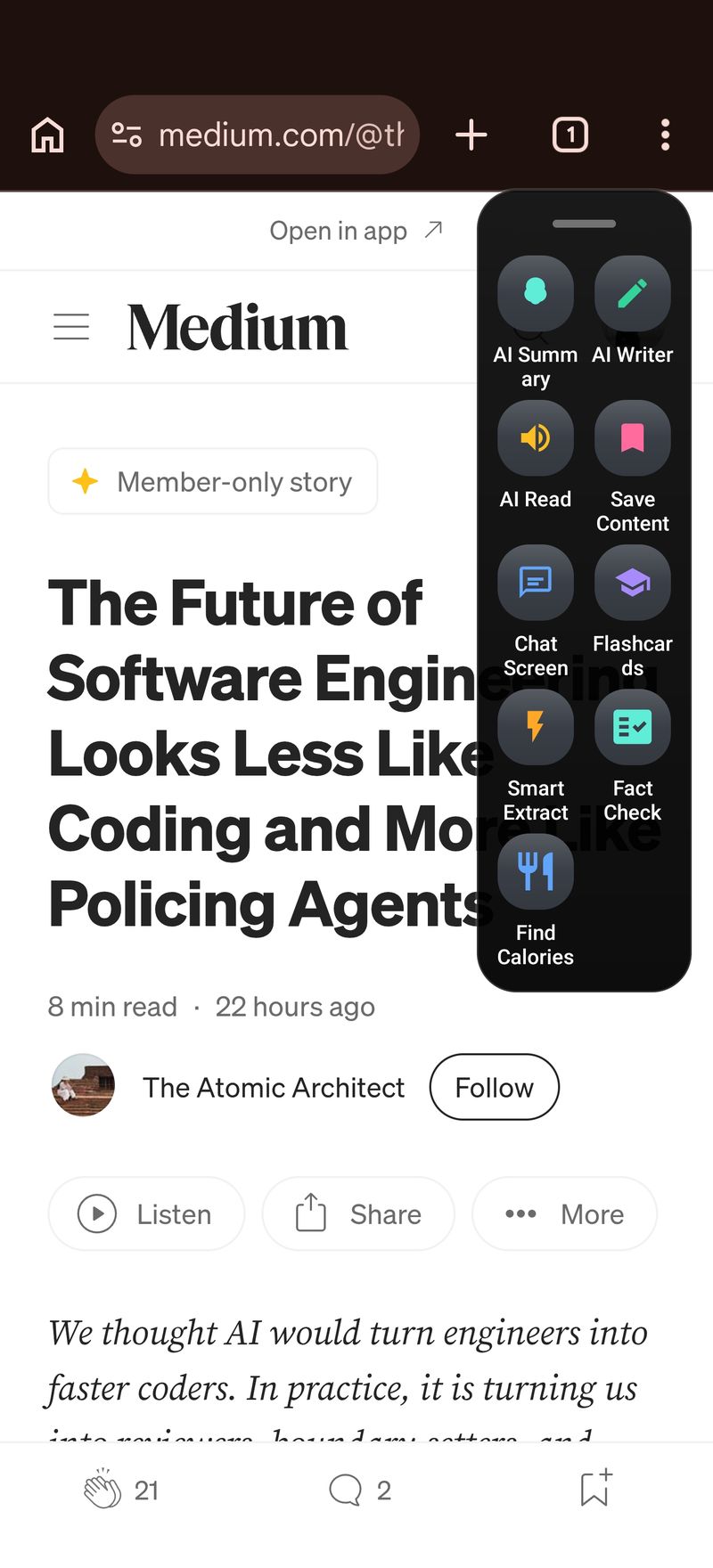
Natural text-to-speech with automatic language detection. Listen to articles, documents and messages while you commute, cook or rest your eyes, straight from the floating sidebar.
- Natural voices with automatic language detection
- One tap from any app, no copying
- Built with accessibility in mind
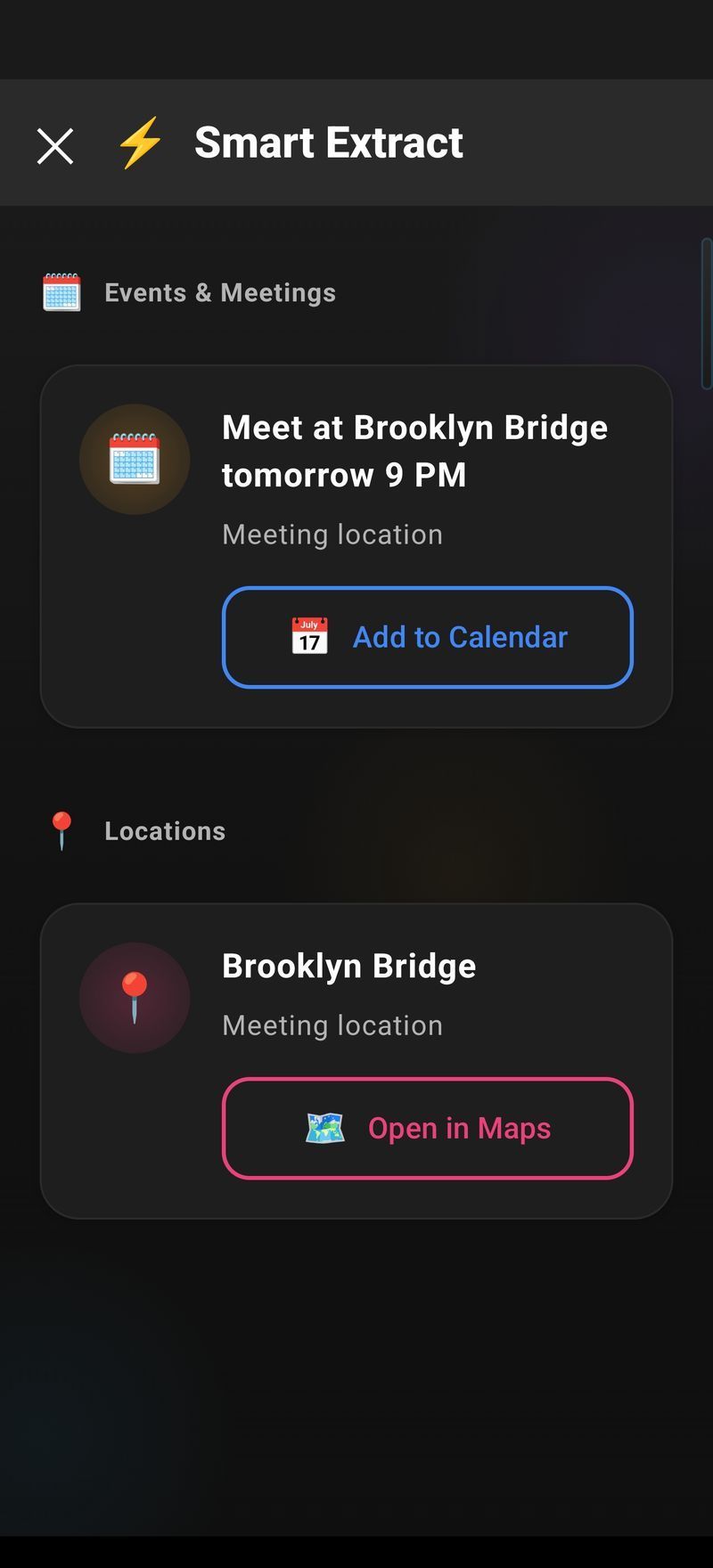
Pull out the dates, contacts and codes.
Smart Extract reads the screen and hands back the structured bits: meeting times, addresses, phone numbers, tracking codes. Each one is ready to copy or act on.
- Dates, contacts, links and codes in one pass
- Nothing to select or highlight first
- Copy each item with a single tap
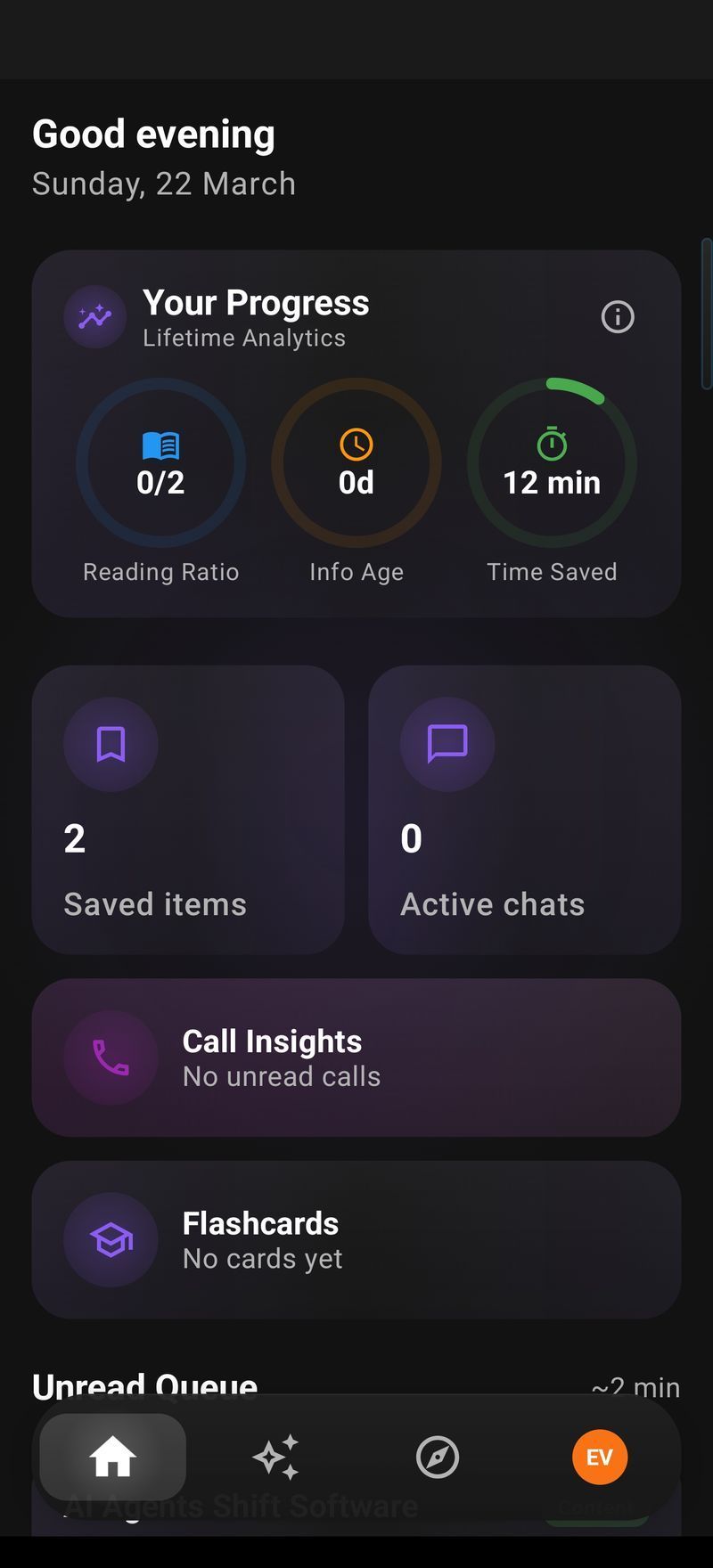
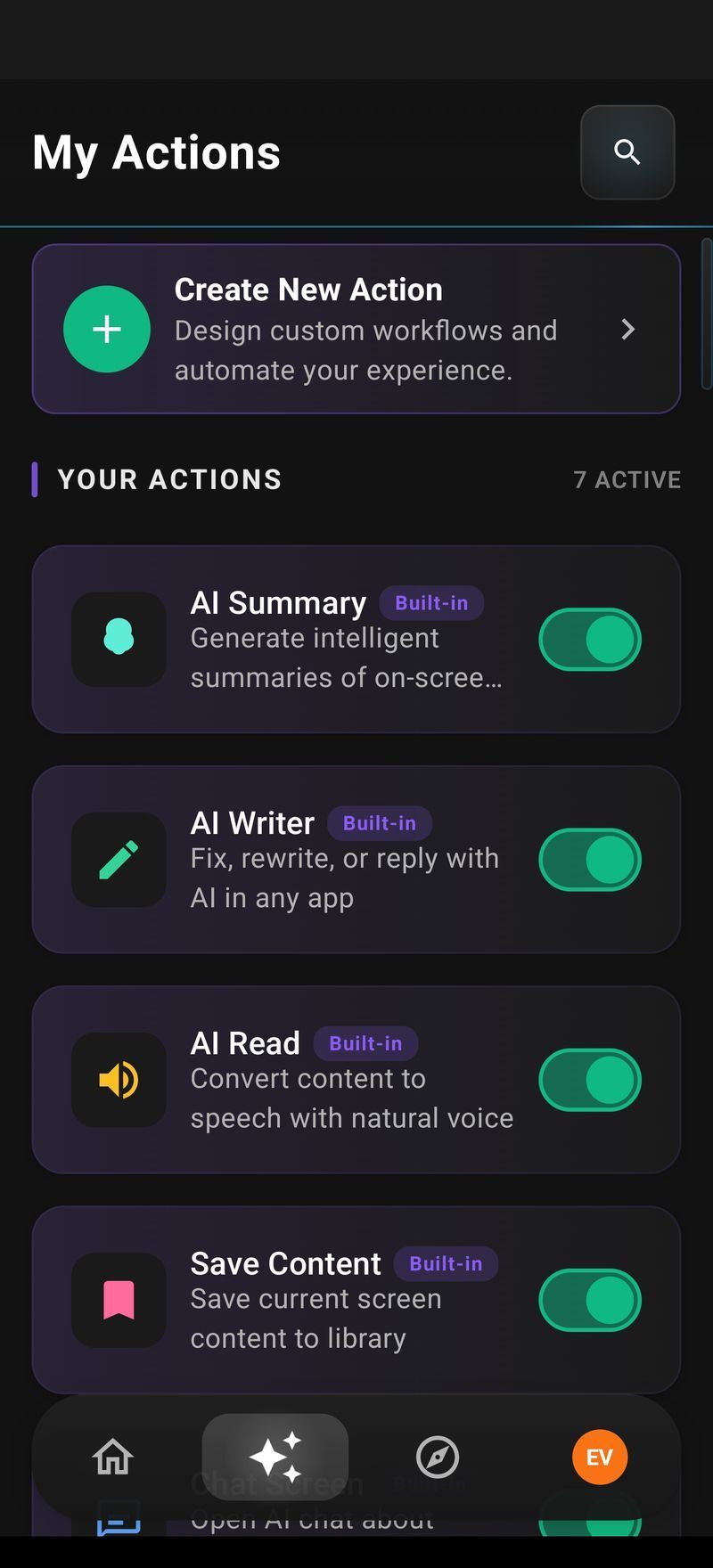
Turn your best prompts into one-tap actions.
Write a prompt once and it becomes an action you can run on any screen. Give it a global hotkey, or install actions the Arc community has already built for work and study.
- Custom actions from your own prompts
- Community library of ready-made actions
- A global shortcut for any action

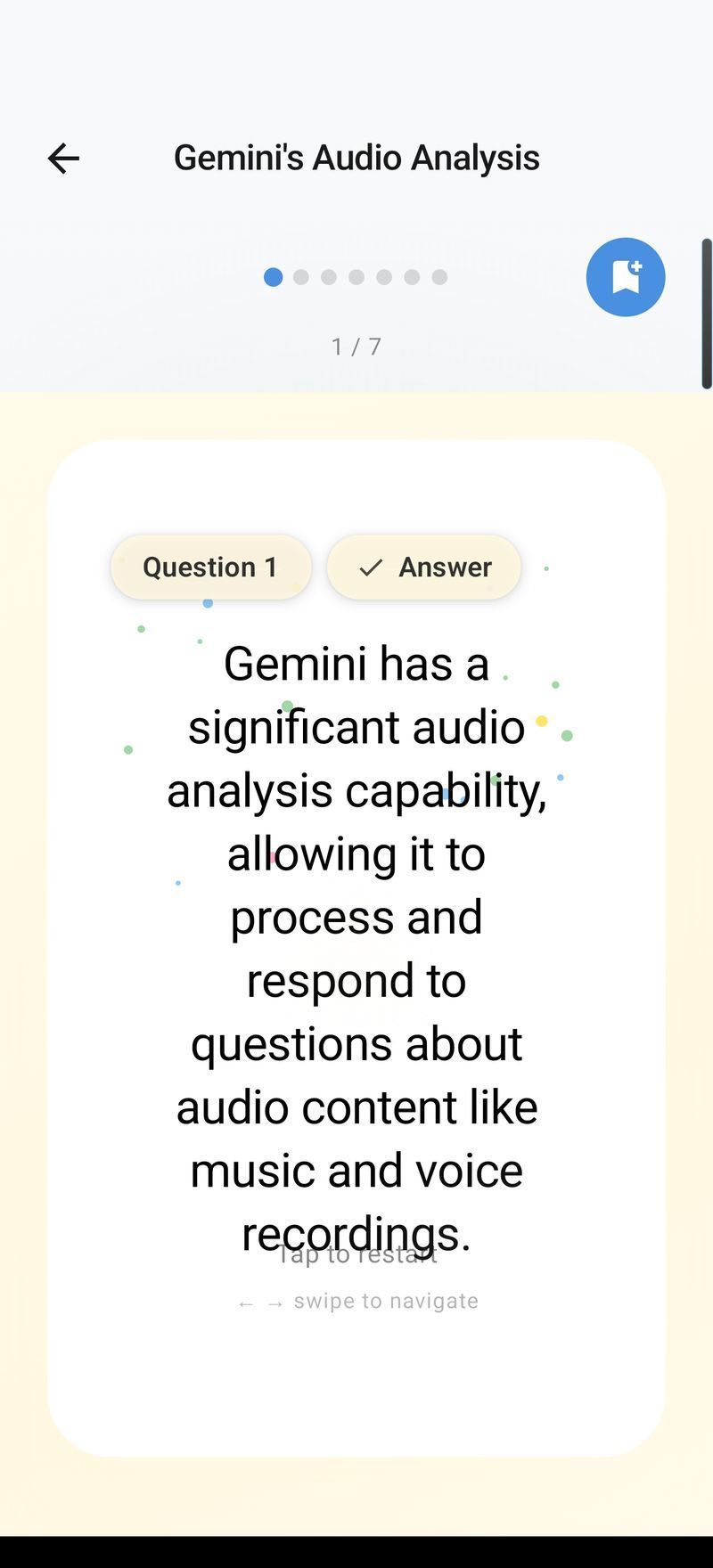
Turn what you read into flashcards.
Generate a flashcard deck from the page, lecture notes or paper on your screen, then review it in Arc. It's the fastest way to turn reading into remembering.
- Decks generated from any screen
- Question and answer review mode
- Saved to your library across devices

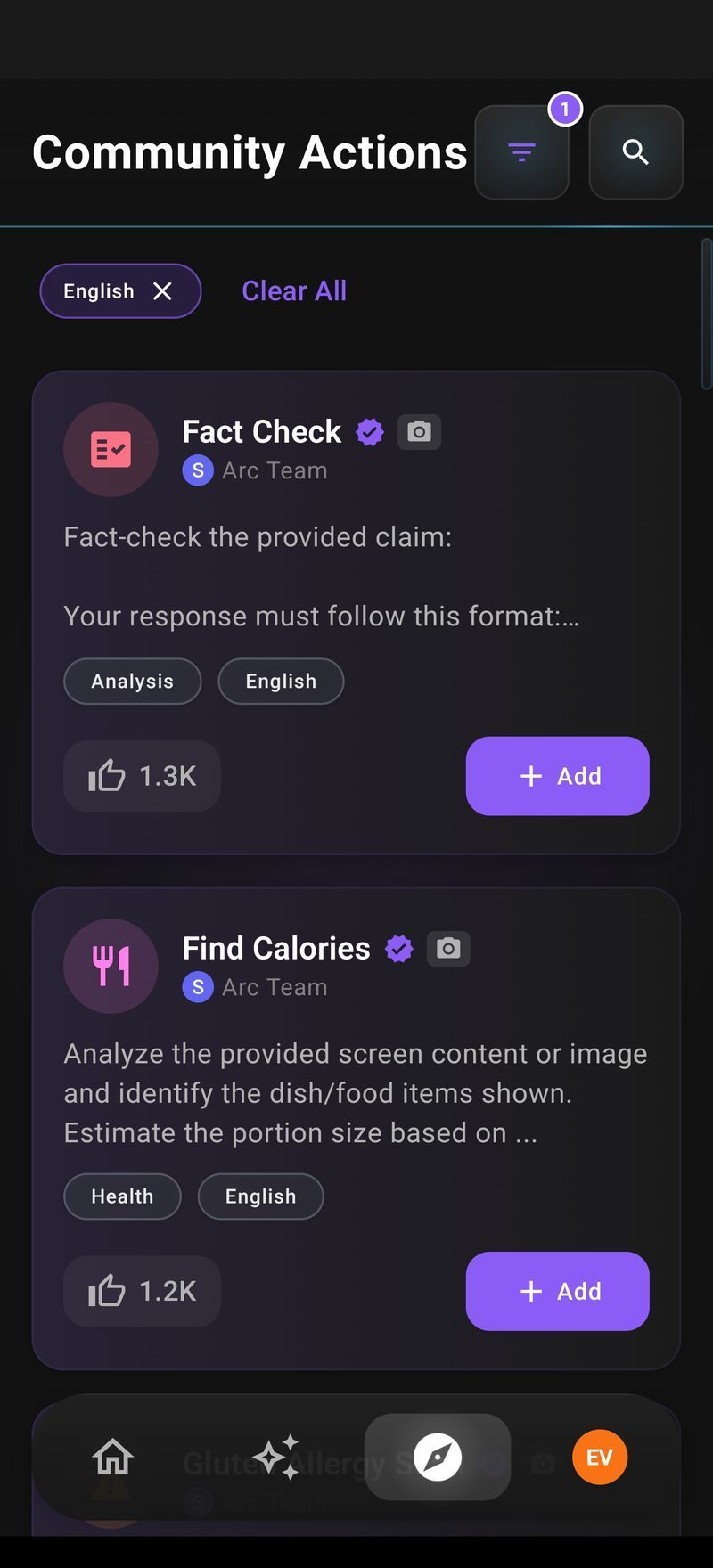
500+ community actions, ready to run.
Browse a growing library of actions built and shared by Arc users, for work, study, writing and research. Filter by language, add one to your sidebar with a tap, and run it on any screen.
- 500+ ready-made actions, free to install
- Filter by category and language
- Share your own actions with the community

Three seconds from question to answer.
- 1
Summon Arc
Press ⌃ Space on Mac, or tap the floating Arc bubble on Android. It opens over whatever you're doing.
- 2
Pick an action
Summarize, read aloud, write, chat, extract, or one of your own custom actions. You can also type a prompt.
- 3
Use the result in place
Insert it into the field, listen, copy, or save it to your library. Press Esc and you're back to work.
500+ AI actions, one tap away.
Chat with any screen
Ask questions about the document in front of you, with its context already loaded.
AI Reply Generator
Context-aware replies for chats and email, in your tone.
AI Note Taker
Call transcripts, summaries and action items.
AI Shortcuts
Bind any action to a global hotkey.
Community Actions
Install actions other Arc users have shared.
Remembers your context
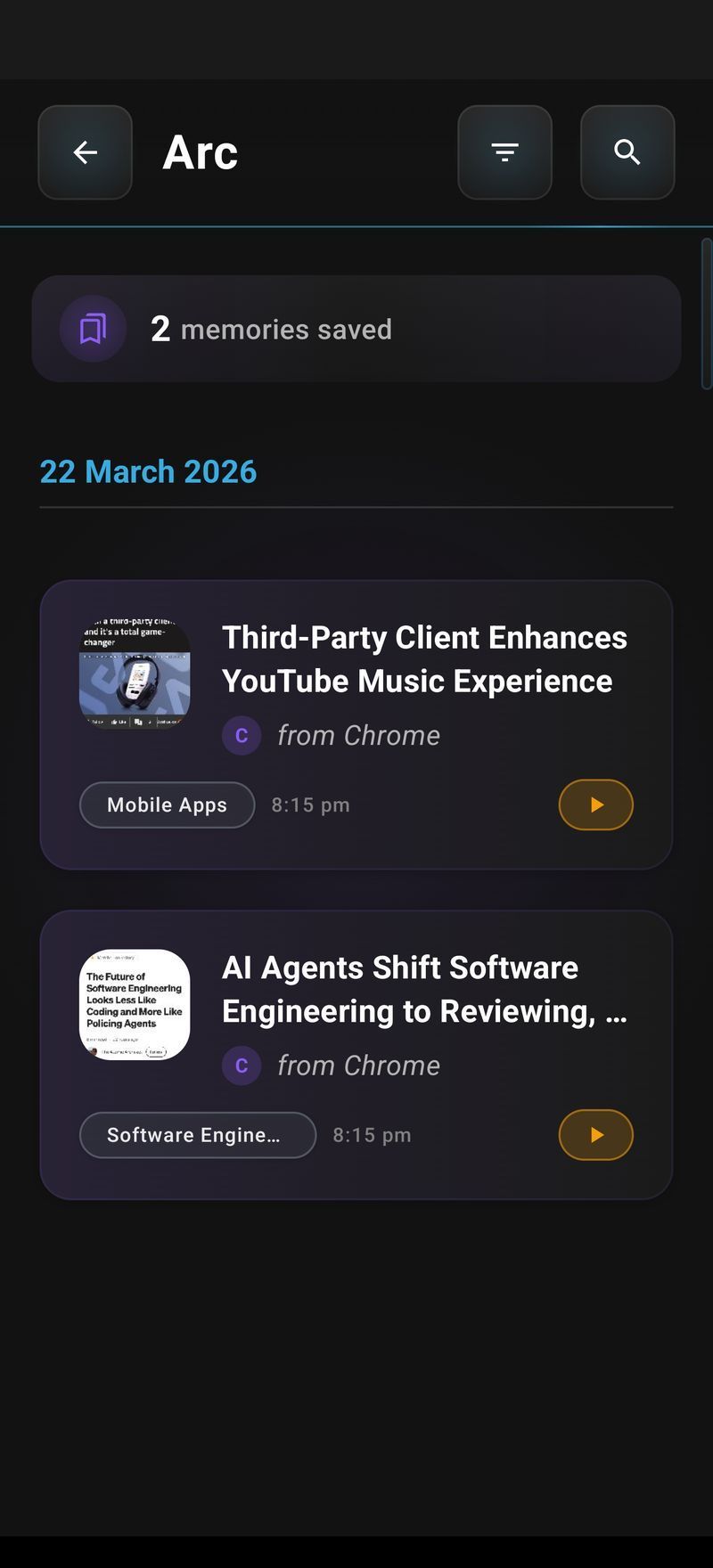
Save your role, projects and sign-off once in the Info Vault; it stays on your device.
Save to your library
Keep summaries and answers, with optional Google Drive backup.
10+ languages
English, Spanish, French, German, Hindi, Chinese and more.
Private by design
On-demand only, and off by default in sensitive apps.
It reads your screen only when you ask.
An assistant that sees your screen has to earn trust. Arc is on-demand by design.
Only when you tap
No background monitoring and no keylogging. Arc reads the screen when you run an action, and not otherwise.
Off in ~400 sensitive apps
Banking, crypto and password-manager apps are excluded automatically, and you can add your own.
Not stored on our servers
Screen content is processed for the answer, then discarded. Saved items stay on your device unless you turn on Drive backup.
On the devices you use every day.
One account and one subscription. Your saved items follow you across platforms.
Android
A floating sidebar over every app, with every Arc feature.
Get it on Google PlayMac
A ⌃ Space panel over any window. Notarized by Apple.
Download for MacWindows
The same panel with Ctrl+Space, for every Windows app.
Get it from MicrosoftiPhone
Arc for iOS is in development. Get notified when it ships.
Get notifiedStart free. Upgrade when Arc earns it.
No ads, no expiring trial, and no card required to start.
Free
$0
Forever, on every platform.
- 7 requests per week on basic features
- Android, Mac and Windows
- Use it as a guest, no account needed
- No ads, no trial countdown
Premium For power users
Unlimited
Priced in your local currency inside the app.
- Unlimited AI summaries
- Unlimited text-to-speech
- AI chat about any screen
- Workflow automation and custom actions
- One subscription covers every platform
Do I need to create an account?
No! You can use Arc as a guest. Google Sign-In is optional and only needed for cloud backup and community features.
Does Arc monitor my screen in the background?
Absolutely not. Arc only accesses screen content when you explicitly tap a button in the sidebar.
Are screenshots automatically captured?
No. Screenshots require your explicit permission and are only taken when you initiate an action that needs them.
Which apps work with Arc?
Arc works with virtually any app. However, it automatically disables itself in nearly 400 sensitive apps (banking, crypto, password managers) by default.
Is my data private?
Yes. Screen content is processed for AI responses but never stored on our servers. Your saved content stays on your device unless you choose Google Drive backup.
What are Custom Actions?
Custom Actions let you create your own AI commands. Write a prompt and save it to your sidebar for one-tap access.
What are Community Actions?
Community Actions are AI actions shared by other Arc users. Browse, search, and add them to your sidebar with one tap.
How does Chat with AI work?
Chat lets you have conversations about content on your screen. Ask questions, get clarifications, or explore topics further.
Does Arc remember who I am?
Yes, if you want it to. The Info Vault stores details you save once — your name, role, projects, writing style, sign-off — and offers them as optional chips in every AI Writer mode. Entries stay on your device; Google Drive backup is opt-in, and backups from two devices merge rather than overwrite.
Does Arc work on Samsung, OnePlus and other Android phones?
Yes. Arc works on all modern Android phones and sits alongside Samsung Edge Panel, OnePlus Shelf and OPPO Smart Sidebar.
One account, across all your devices.
Stop copy-pasting into chatbots. Get the assistant that already knows what's on your screen, free on Android, Mac and Windows.